
Send Slack notifications to account owners
Why this matters
Speed-to-lead has a direct impact on conversion rates. If reps only discover activity hours or days later, intent has already cooled. Automatically notifying the assigned owner in Slack ensures the right person responds quickly with full context, improving reply rates and reducing missed opportunities.
How to achieve it
- Add the HubSpot Slack app to your Slack workspace
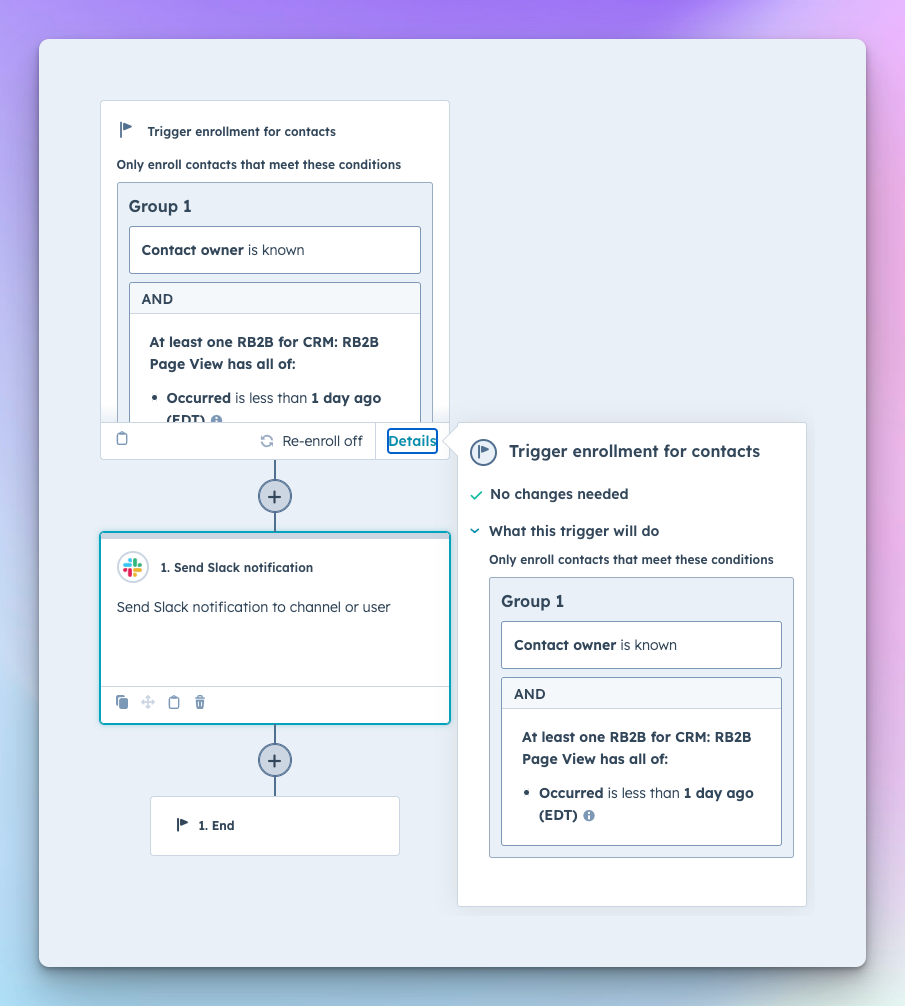
- Create a HubSpot workflow triggered by recent RB2B page views
- Require that the contact has an assigned owner
- Send a Slack message directly to that owner
- Include useful properties such as company, last page viewed, and recent activity
- Test with a sample contact, then activate the workflow
Where to configure it
Slack → Add “HubSpot” app to workspace
HubSpot → Automations → Workflows → Create Workflow
Enrollment triggers → Contact Owner is known
Enrollment triggers → RB2B Page View occurred less than 1 day ago
Actions → Slack → Send Slack Notification → Send to Contact Owner
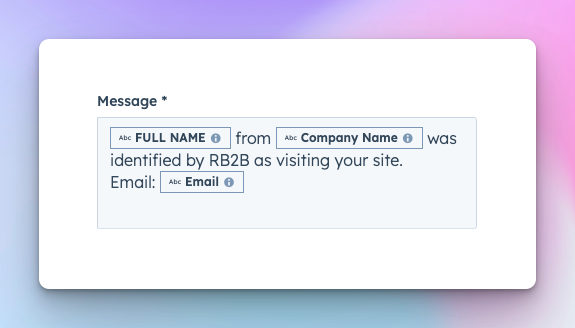
Sample Slack message
Workflow preview
Quick win
Start with one simple message that includes company name and last page viewed. Even a basic alert dramatically improves follow-up speed.
Send email notifications to account owners
Why this matters
Not every team lives in Slack. Email notifications ensure reps still receive alerts directly in their inbox and can act immediately. This is especially useful for distributed teams or as a backup channel for critical leads.
How to achieve it
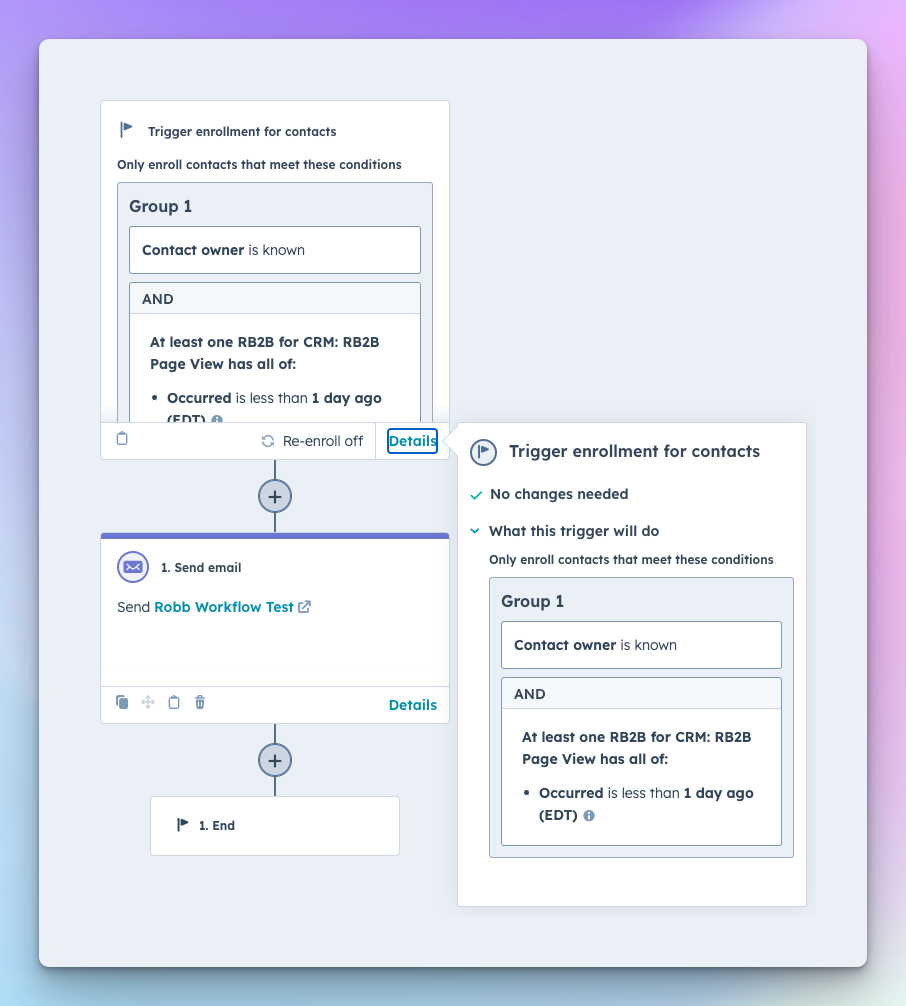
- Create a HubSpot workflow with the same RB2B page view trigger
- Require Contact Owner to be known
- Add a “Send email” action
- Use personalization tokens for owner name and contact details
- Include recent activity and a link to the HubSpot record
- Test, then turn the workflow on
Where to configure it
HubSpot → Automations → Workflows → Create Workflow
Enrollment triggers → Contact Owner is known
Enrollment triggers → RB2B Page View occurred less than 1 day ago
Actions → Send Email → Choose or create notification email
Email editor → Add personalization tokens (Owner name, Contact name, Company, etc.)
Workflow preview
Quick win
Create a simple internal notification email with a direct link to the contact record so reps can click straight into HubSpot.
Design a clean, reliable notification workflow
Why this matters
Too many alerts create noise. Too few miss opportunities. A focused, well-designed workflow ensures notifications are trusted and consistently acted on.
How to achieve it
- Limit alerts to recent activity (last 24 hours)
- Only notify when an owner is assigned
- Include key context (pages viewed, company, deal info)
- Avoid duplicate notifications for the same contact
- Review performance monthly and refine triggers
Where to configure it
HubSpot → Workflows → Enrollment criteria and re-enrollment settings
HubSpot → Properties → Add RB2B fields to records for visibility
Quick win
Restrict notifications to page views within the last day to keep alerts high-signal and actionable.
Closing
Why this matters
RB2B shows you who is interested. HubSpot makes sure the right person responds. Automating notifications bridges the gap between insight and action.
How to achieve it
Connect RB2B activity to owner-based workflows and deliver alerts through Slack or email so follow-up happens automatically and consistently.
Quick win
Launch one Slack or email workflow today for pricing-page visitors and measure response time improvements within a week.