This workflow is designed to trigger when a contact views a specific, high-value page on your website—such as a pricing page, product demo, or solution overview. Monitoring activity on these strategic pages helps you pinpoint visitors who are showing intent or progressing in their buyer journey. By automatically flagging or engaging these contacts when they view key content, you can deliver timely follow-ups, prioritize sales outreach, or guide them toward the next step with relevant messaging. RB2B integration allows automatic logging of these page views in HubSpot, simplifying the process of identifying and engaging high-value visitors.
How to set it up:
- Click Set Enrollment Triggers.
- Choose Contact property.
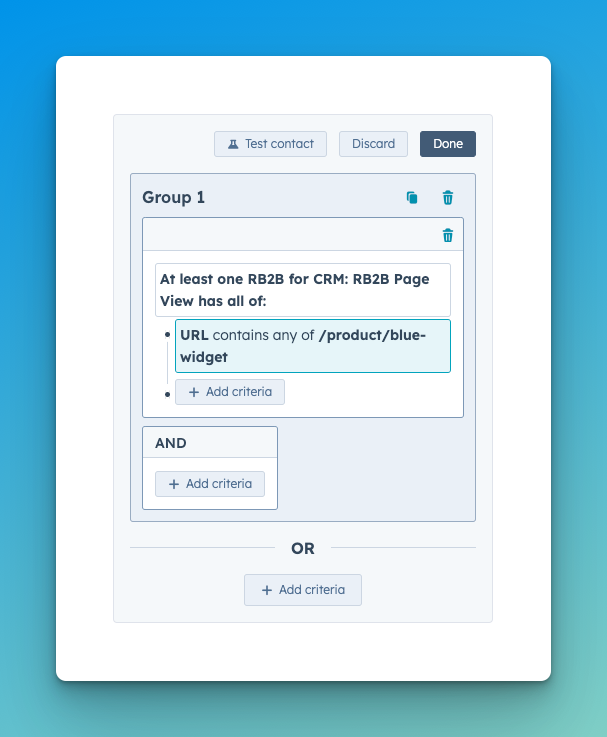
- Set the first condition:
RB2B for CRM: RB2B Page View properties →
URL→contains any of→/product/blue-widget
Replace/product/blue-widgetwith the URL of your page.
Once these triggers are in place, continue building your workflow by defining the desired action—such as alerting your sales team, updating a contact property, or enrolling the user in a nurture sequence.
Workflow Preview
Once created, your Workflow should look similar to this.