Workflow 1: Identifying Repeat Visitors Based on Time Between Visits
This workflow is designed to help you identify contacts who are demonstrating renewed interest in your website after being initially identified by RB2B. By comparing the date of their most recent page view with the date they were first captured, you can surface contacts who are re-engaging after a period of time—often a strong indicator of buying intent or decision-making activity. RB2B's integration enables capturing these page view details and syncing them into HubSpot fields, ensuring your CRM reflects real-time engagement and helps track re-engagement patterns.
How to set it up:
- Click Set Enrollment Triggers.
- Choose Contact property.
- Set the first condition:
RB2B for CRM: RB2B Page View properties →
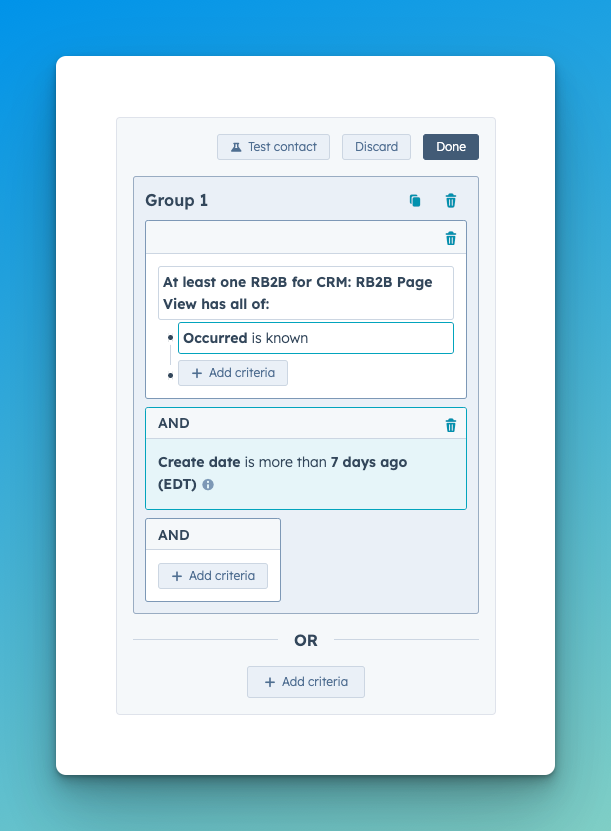
Occurred→is known
This ensures the contact has recently viewed a page on your website.
- Add a second condition under Contact property:
RB2B Captured At →
is more than→7 days ago
This checks that the contact was first identified by RB2B at least a week ago, allowing you to distinguish between brand-new visitors and those returning with potentially increased intent.
Once these triggers are in place, continue building your workflow by defining the desired action—such as alerting your sales team, updating a contact property, or enrolling the user in a nurture sequence.
Workflow Preview
Once created, your Workflow should look similar to this.
Workflow 2: Identifying Repeat Visitors Based on Contact Creation Date
This workflow is ideal for surfacing high-intent activity from contacts who already exist in your CRM. Instead of relying solely on RB2B’s identification date, it uses the contact's original creation date to account for people your team may have already been engaging with—before RB2B matched them to web activity. RB2B ensures that each visit is recorded in HubSpot fields, enriching the CRM with updated data and enabling continuous monitoring of contact activity.
By detecting when these known contacts return to your website, you can flag renewed interest, re-engagement, or a shift in their buying journey. This is particularly valuable for tracking warm leads or past prospects who may be revisiting your content, signaling readiness to re-enter the conversation or move closer to a decision.
Use this trigger to prioritize outreach, accelerate follow-up, or enroll returning contacts into targeted nurture workflows—based on real-time behavior, not just static data.
How to set it up:
- Click Set Enrollment Triggers.
- Choose Contact property.
- Set the first condition:
RB2B for CRM: RB2B Page View properties →
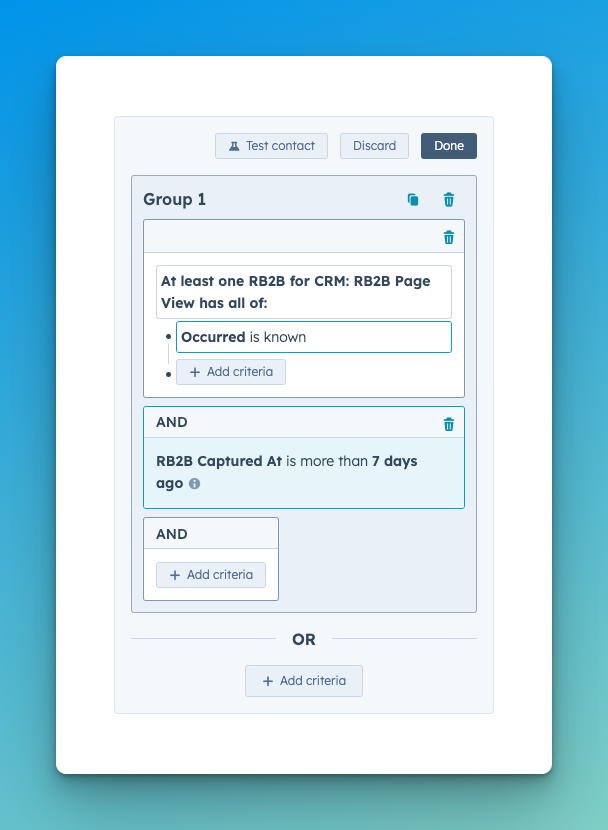
Occurred→is known
This ensures the contact has recently viewed a page on your website.
- Add a second condition under Contact property:
Create Date →
is more than→7 days ago
This checks that the contact was created in your CRM at least a week ago, allowing you to distinguish between brand-new visitors and those returning with potentially increased intent.
Once these triggers are in place, continue building your workflow by defining the desired action—such as alerting your sales team, updating a contact property, or enrolling the user in a nurture sequence.
Workflow Preview
Once created, your Workflow should look similar to this.