By default, workflow actions will execute as soon as an enrolled record reaches the action. After creating your workflow, to specify when actions can take place, choose to Review Workflow before publishing.
- In Step 2: Timing & Performance you will find Timing Settings. To set specific times, click the edit button to the right.
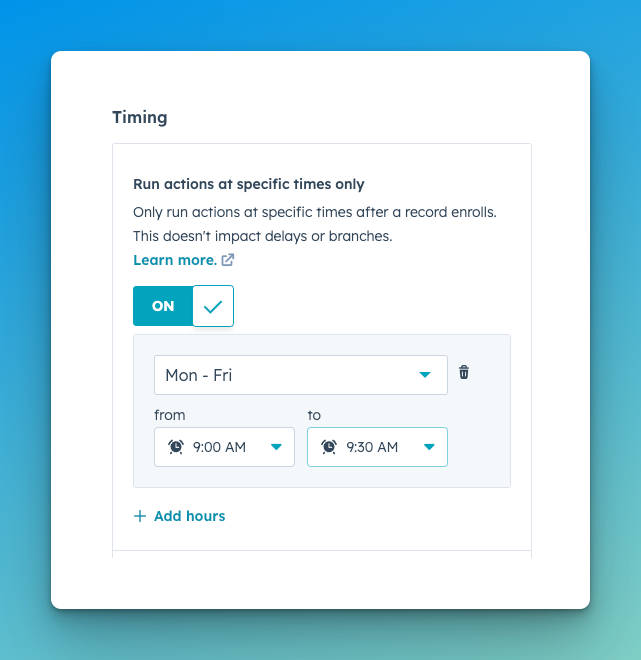
- Turn on Run actions at specific times only.
- Select the day(s) and times you wish to run the workflow. In the example below, the workflow is set to run every weekday between 9:00am and 9:30am.
Note: In the scenario above, any records that are enrolled after 9:30am on any given day will move to the next weekday's queue.